
Hi folks,
Welcome to my new Silverlight Weblog!
Join me on a tour of the numerous features this blogging engine offers.
But first: Why Silverlight?
Simply put: my time is worth money.

I blog as a labour of love, devotion and personal passion.
As such, I’d like to spend the minimum amount of time required to setup a blog.
Upon deciding to move out of my previous blog, I faced two prospects:
- Move to another HTML based weblog – which normally takes me a week (60 hours~) of fiddling around with HTML, CSS, Javascript and deployment.
- Recreate my blog in Silverlight – which I estimated would take about the same and I’d finally be rid of this horrible nuisance – HTML, Javascript and CSS.
For me, it was an easy choice.
Now I get to experiment with which UI patterns work best for blogging.
Not just use the same handy down comprise-driven-UI I’ve always had.
Using accordions for the front page, expanding panels for comments, responsive user interface, and many others are just some of the benefits Silverlight afforded this blog.
What Technologies were used?
Silverlight - User Interface front end.
WCF RIA Services - Server<->Client Communication.
PRISM – Commanding and Messaging support.
Managed Extensibility Framework (MEF) – Dynamically loading blog widgets.
ASP.Net Webforms & ASP.Net MVC – Processing client requests and returning shell HTML.
ASP.Net Dynamic Data (AJAX, Webforms) – The back office management portal.
WCF Syndication Services – RSS 2.0 and Atom 1.0 Feeds.
SQL Server 2008 – Database.
Entity Framework V3.5 – Data Access Layer.
MSTest - Unit testing Server side.
Microsoft Silverlight Unit Testing Framework – Unit testing Client side.
RhinoMocks – Unit testing Mocking.
Unity – IoC Unit Testing framework.
3rd Party commercial component – rendering out HTML in Silverlight.
Everything else – home grown.
Is Silverlight Weblog open source?
Yes. Get it @ http://SilverlightWeblog.codeplex.com under Ms-PL license.
Posting from Windows Live Writer
A major part of my workflow when authoring blog posts is using Windows Live Writer.
Support for Windows Live Writer is enabled through the Metaweblog API.
Here’s a sample blog post in Windows Live Writer:
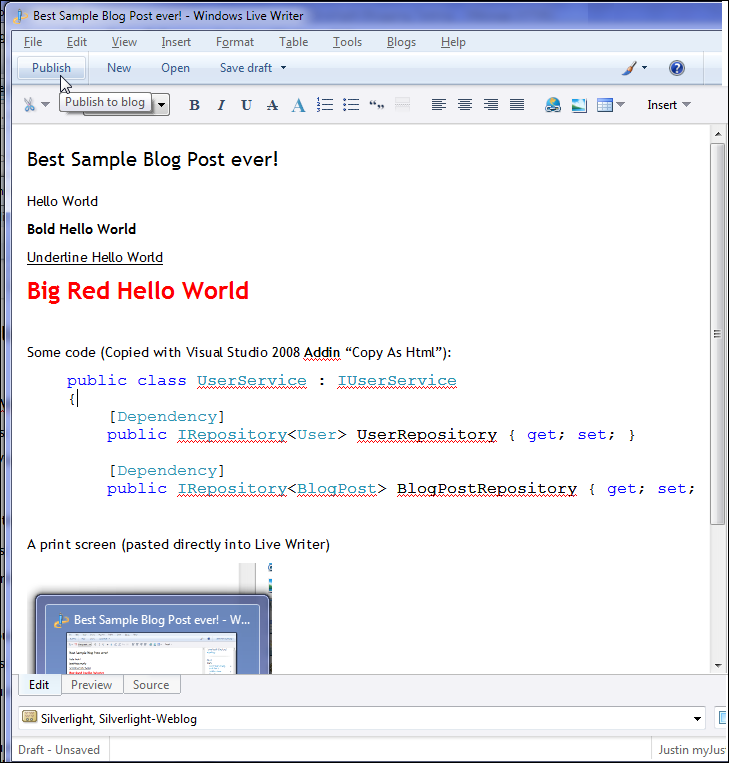
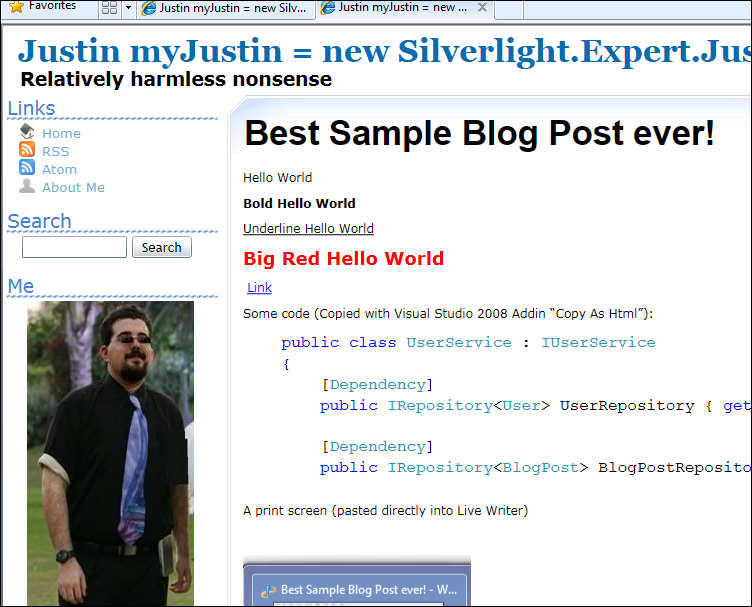
After publishing this blog post to Silverlight Weblog it’ll render out as expected:
Hierarchical Blog Categories Widget
When posting from Windows Live Writer the blog post author can tag blog posts.
The Silverlight Weblog blogging engine support endlessly nested hierarchical categories.
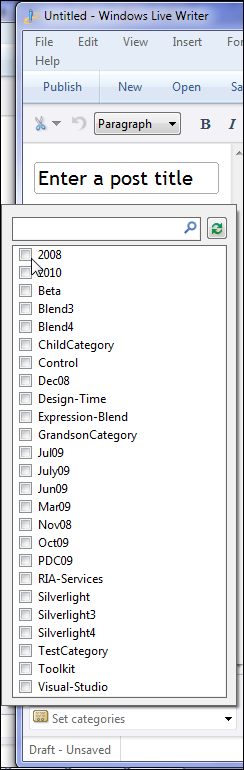
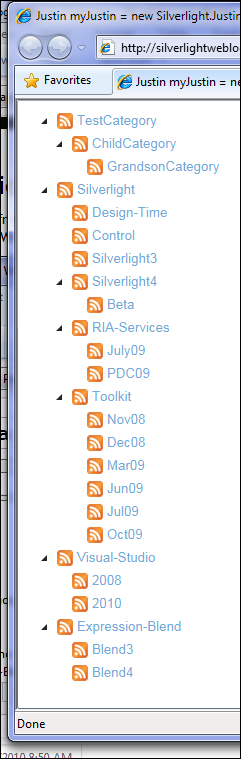
The Print screen above shows 3 levels of Categories, but in theory the blog supports infinite nesting.

Clicking on a Category Link in the Categories Tree or In a Blog post would navigate the user to a list of all blog posts in that category.
Hierarchical Comments
Silverlight Weblog supports leaving infinitely nested comments on blog posts.
Having properly nested comments elevates the mess of replying to 6 people in one comment.
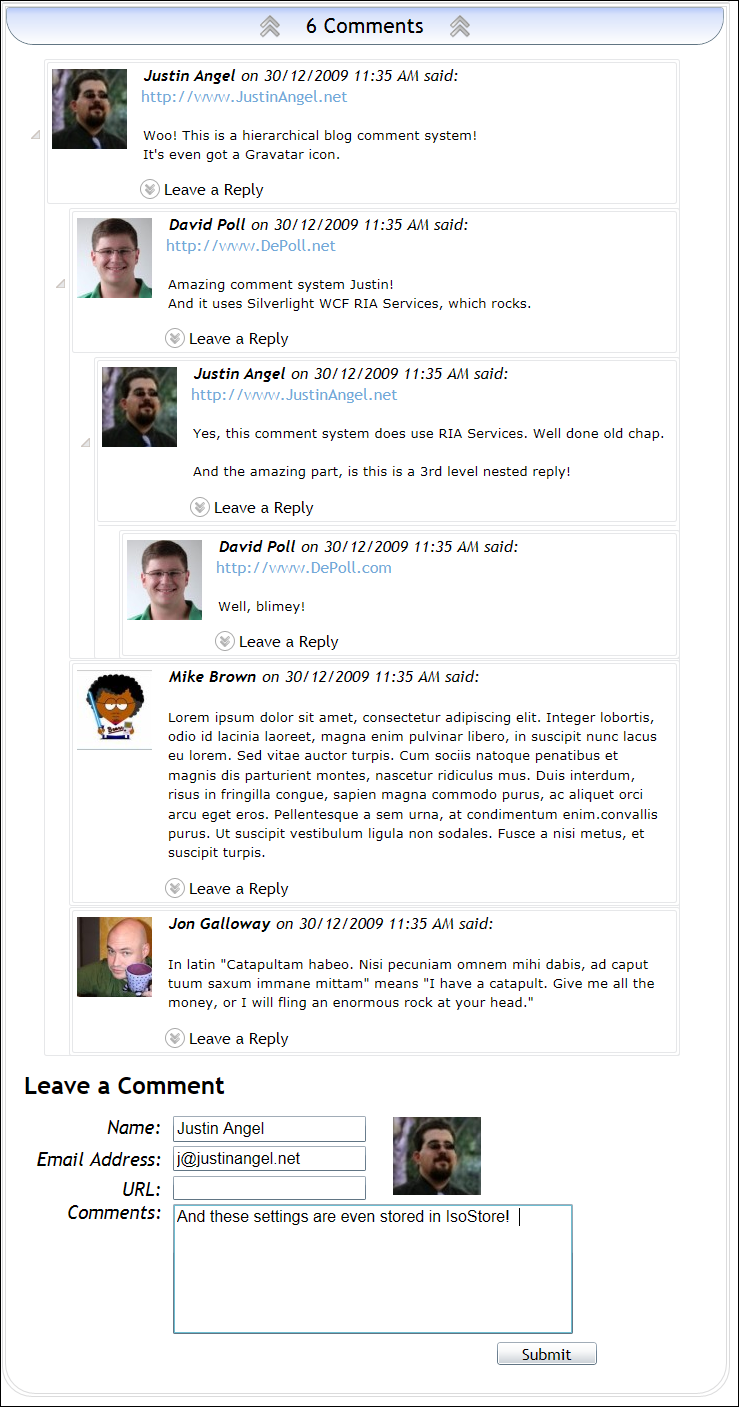
As you can see from the above print screen each comment is accompanied with a Gravatar and can be infinitely nested to a parent.
RSS 2.0 and Atom 1.0 Feeds
Silverlight Weblog supports RSS and Atom feed formats through the Links Widget.
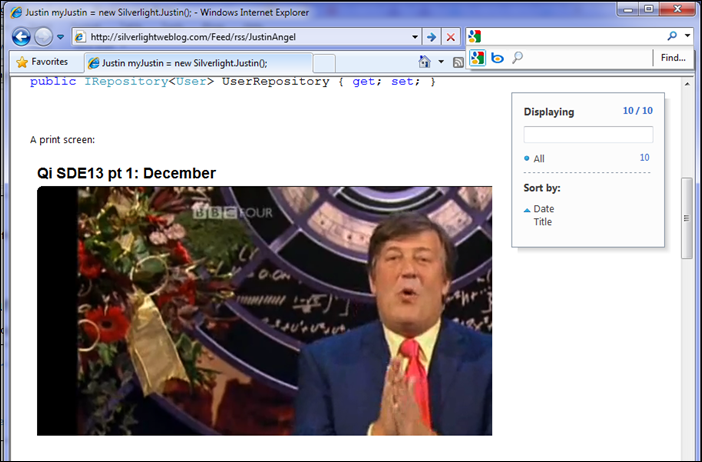
Here’s a print screen of the main blog RSS feed:
Moreover, Silverlight Weblog supports RSS/Atom feeds for each individual category:

Clicking the RSS Icon next to each category would provide the user with a link to it’s RSS link.
Twitter Integration
Silverlight Weblog displays the latest non-reply tweets from the blog author on the Sidebar.
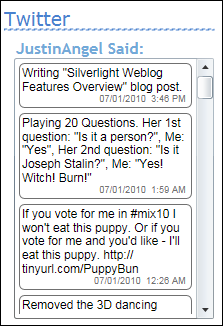
When mouseovering the Twitter widget it smoothly expands it’s vertical height to accoemdate easier reading.
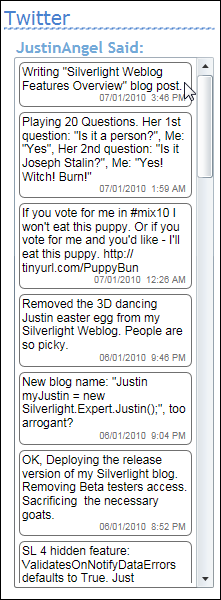
At the end of each blog post, it is suggested to the user to retweet this blog post:

Clicking the “Twitter this blog post” link would open up a new tweet on twitter.com.

User Friendly URLs
Silverlight Weblog generates easy to remember user-friendly URLs.
This enables people to easily link to your Rich Internet Application and have it load up the relevant blog post.

Single and Multi-user Support
When hosting blogs, some blogs are meant for only one user while others are used by multiple users.
Silverlight Weblog supports both schemes with it’s easy to customize UI and user-relevant URLs.
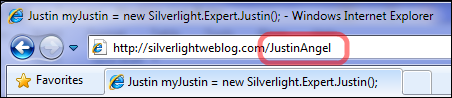
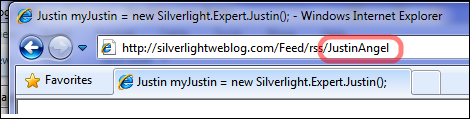
In the print screens above it’s easy to see how the blog supports multiple users through a convenient URL schema.
Authoring Rich Content with Macros
When authoring blog posts It’s always helpful to introduce richer content.
Macros translate text into visual elements.
For instance, the following macro (presented here as an image) would translate into a video player:
![[SimpleVideo:source=http://mschannel9.vo.msecnd.net/o9/mix/09/wmv/key01.wmv | width=650 |height=400]](/BlogFiles/WindowsLiveWriter/SilverlightWeblogFeaturesOverview_7BB2/image_67.png "[SimpleVideo:source=http://mschannel9.vo.msecnd.net/o9/mix/09/wmv/key01.wmv | width=650 |height=400]")
[SimpleVideo:source=http://mschannel9.vo.msecnd.net/o9/mix/09/wmv/key01.wmv|width=650|height=400]
This next macro will translate a literal string into a Visual XAML element:
![[Xaml:string=<Rectangle Width="250" Height="250" Stroke="Black" StrokeThickness="1" Fill="Red" />]](/BlogFiles/WindowsLiveWriter/SilverlightWeblogFeaturesOverview_7BB2/image_68.png "[Xaml:string=<Rectangle Width=\"250\" Height=\"250\" Stroke=\"Black\" StrokeThickness=\"1\" Fill=\"Red\" />]")
[Xaml:string=<Rectangle Width="250" Height="250" Stroke="Black" StrokeThickness="1" Fill="Red" />]
And this last built-in macro would load up an external XAP file and present it’s main visual element:
![[Xap:source=SilverlightTestApp.xap | type=SilverlightTestApp.MainPage]](/BlogFiles/WindowsLiveWriter/SilverlightWeblogFeaturesOverview_7BB2/image_71.png "[Xap:source=SilverlightTestApp.xap | type=SilverlightTestApp.MainPage]")
[Xap:source=SilverlightTestApp.xap|type=SilverlightTestApp.MainPage]
SEO (Search Engine Optimization)
Silverlight weblog is fully indexable by Google, Bing and Yahoo.
Each Silverlight weblog has a Robots.txt and a Site Map which lets the search engine know of the available blog posts.
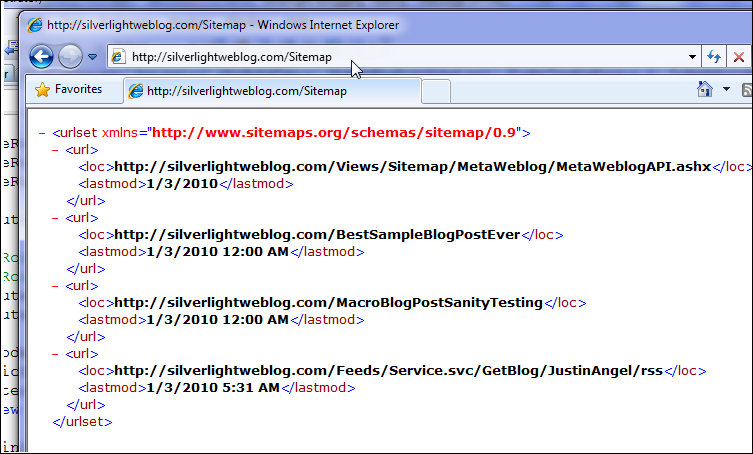
Each blog post page emits the proper HTML as to be indexed by google and accessible to disabled users.
In the following print screen you can see the Text-Only Webrowser Lynx fully reading the content of a Silverlight Weblog blog post:
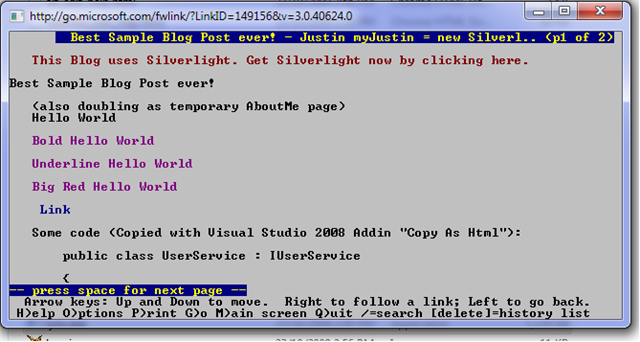
If you’re interested in this SEO technique you can read more about it at Brad Abrams’ blog post.
Deep Linking and Back/Forward Support
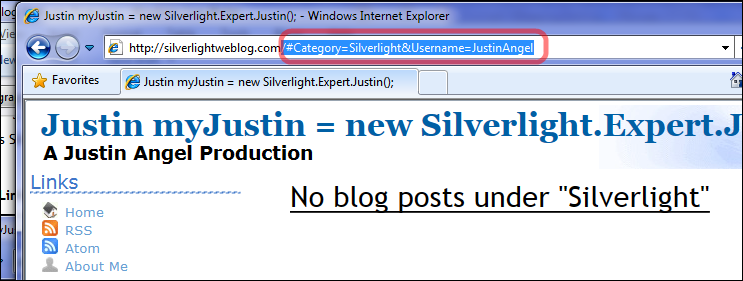
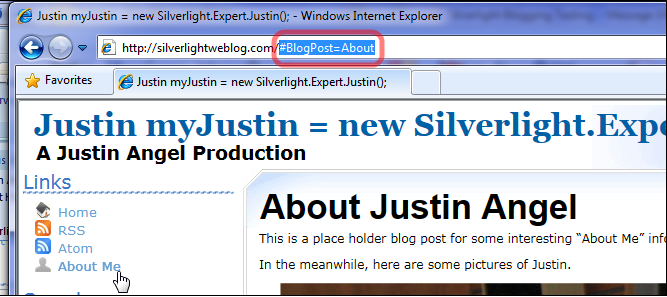
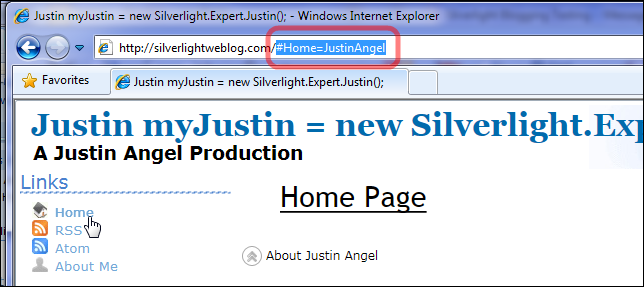
When navigating in Silverlight Weblog the URL Anchor fragment changes accordingly.
Which enables Silverlight Weblog to support Refresh, Back and Forward uses.
Search Deep Linking
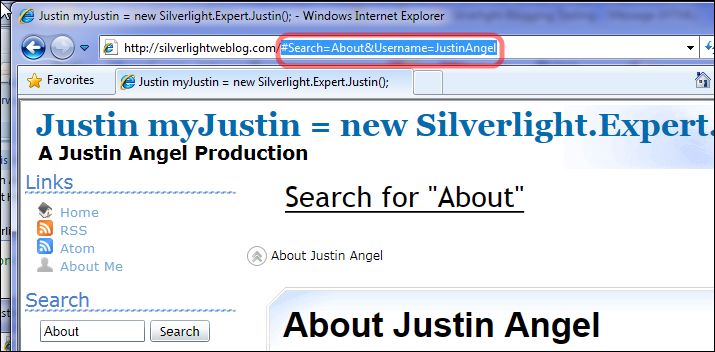
Category Deep Linking
Blog Post Deep Linking
Home Page Deep Linking
Google Analytics Support
Every user action performed in Silverlight Weblog can be logged into Google Analytics.
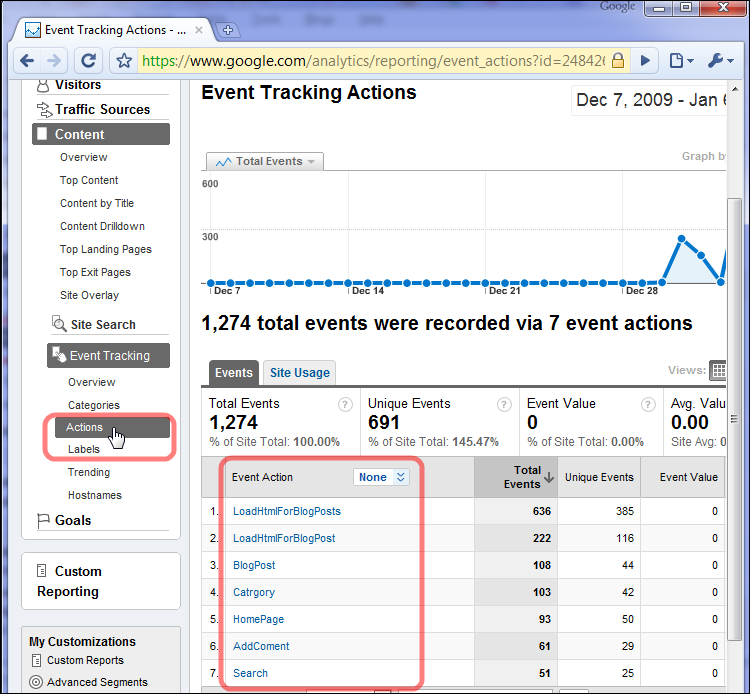
In the above print screen there’s a list of all User initiated actions (which did not cause a server postback) and have been logged in Google analytics.
Primarily, Loading Blog Posts, Performing Searches, Leaving Comments, Viewing categories and other user initiated actions.
Silverlight weblog also supports drilling down into specific google analytics data.
Here’s a drill down of which searches were performed and which categories were viewed:
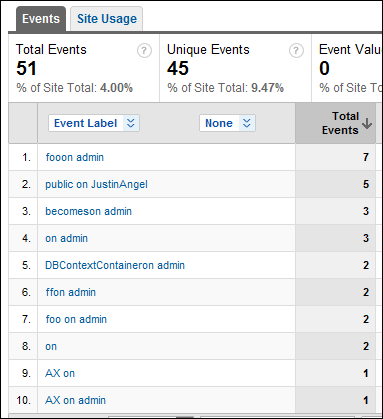
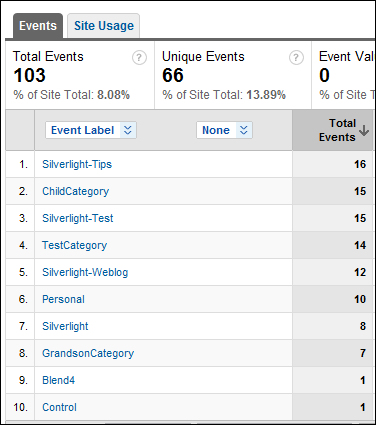
On the left there’s a list of search terms searched, and on the right a list of categories viewed.
Management Back office
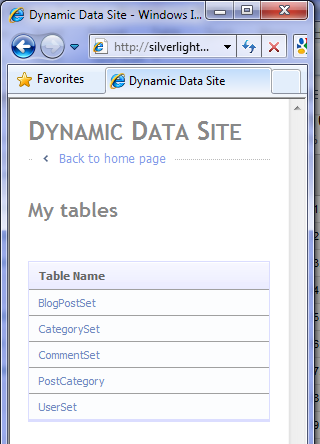
Using ASP.Net Dynamic Data an easy to use back office is generated for silverlight weblog.
Extensibility
Silverlight Weblog is fully extensible.
Each piece of the UI is considered a Widget and each response is an independent Service.
Widgets and Services communicate through Messages.
Both of which are loaded dynamically by MEF which ends up composing the UI.
I’ll go into greater detail on this topic in future blog posts, but here’s an easy to understand breakdown of the UI:
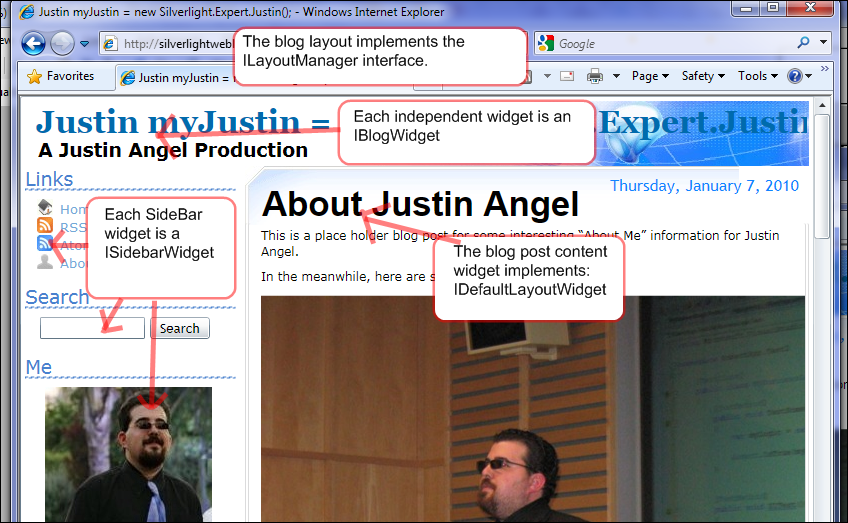
Implementing custom Widgets and changing the default layout and behaviour is much easier than it appears to be.
Personalized Widgets
Through the Extensibility mechanism in Silverlight Weblog I easily implemented two of my favourite widgets.


Custom Get Silverlight Screen
When first approaching a Silverlight Weblog, users will get an easy to understand “Get Silverlight” screen.

Customized Splash Screen
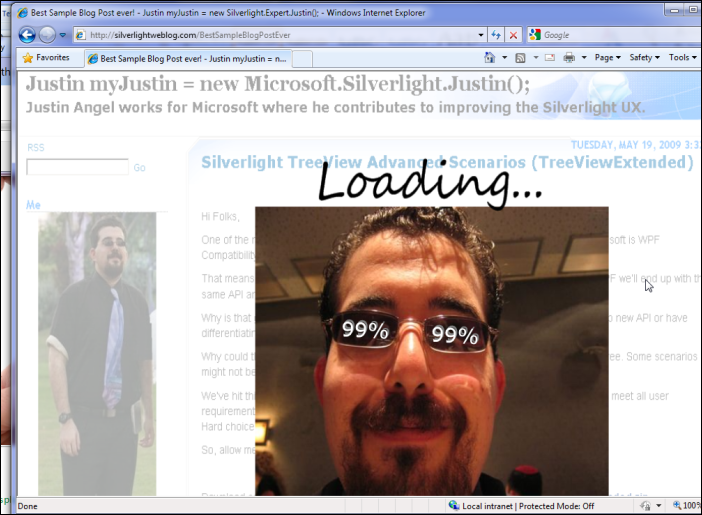
Silverlight Weblog supports changing the default loading splash screen into a more relevant user exprience.
In my case I wanted to let people know they were going into my blog.
Fin
There are many other features included in Silverlight Weblog.
Hopefully this first Silverlight weblog blog post was enough to give you a quick overview of this project.
One final note is I’d like to thank all Beta Testers who took part in making sure Silverlight Weblog actually works:
Scott Hanselman, Rob Eisenberg, Velvárt András, Yasser Makram, Rui Marinho, Ian Smith, Juan Puebla, Mark Woodhall and Jim Wightman.
Feel free to leave a comment and let me know your thoughts!
Sincerely,
-- Justin Angel





Comments
Justin Angel Says:
Jeremy Likness Says:
Armin Says:
Jorge Levy Says:
Downloading the code to check it and try to contribute...
Again, nice job...
W.Meints Says:
But as I can tell now, there's still some things that need polish ;)
Keep up the good work though, because this could lead somewhere really really great!!
Justin Angel Says:
My email is J@JustinAngel.net
Michael Washington Says:
My only issue is that it woud be nice if the page did not load until I scolled down. It too a bit for all the graphics to load and when I scroll up and down the page it is sluggish.
Also my Google toolbar spell checker doesn't work :(
Balaji Says:
A small comment the Look and feel can be little improved to prove the capabilities.
John Papa Says:
Travis Says:
Travis
Justin Angel Says:
Yep, Silverlight Weblog is open source under the permissive Ms-PL license.
Contributions and changes will be accepted as they come along.
Later this week I'll publish a few blog posts meant for developers on this blogging engine.
I want to remain anonymous in fear of MOSSAD Says:
Justin Angel Says:
What exactly are you seeing? I'd love to solve it.
Can you email me at J@JustinAngel.net?
meez again Says:
Scrolling is also sluggish on my dual core 1.6ish ghz notebook here (which would nowadays be filed under a netbook). Mmmkay it's a big article too. But still, if it was HTML, it was a lot smoother. Maybe Microsoft should come up with a better flow content model for Silverlight. On the other hand, I haven't seen something similar (full content page) for Flash either (albeit I haven't looked really), so who am I to judge.
Ian Blackburn Says:
me again(st) Says:
But this time the browser displayed "Waiting for google analytics..." in the status bar while the screen remained white for 5 seconds or so... I think Big G should be invoked later when the page is already rendered and asynchronously.
Scrolling works fine now tho, dunno what was going on before.
Dan Wahlin Says:
Davide Zordan Says:
Ian Blackburn Says:
Many thanks!
SmartyP Says:
this looks like a great first release, best of luck going forward with this!
Brad Abrams Says:
I think the initial load is a bit much, but I guess that has to do with the amount of graphics in the first post? What do you think loadtime will be on an average blog?
Oh, and any RIA Services feedback for us? i am glad it worked out for you!
..brad
Noam Says:
The scroll bat behaves a bit strange in my Chrome (4.0.288.1) - can't click on it, and before it just got activated when the mouse hovered over the current location. Now it just performs "pageup", every time I get the mouse to hover over it, and now it is stuck at the top of the page, even thouse using the scroll wheel of my mouse got me "here".
Glenn Block Says:
Glenn Block Says:
Justin Angel Says:
I've implemented some changes and the blog has a 60% faster uptime.
Michael Washington Says:
But, overall this is looking very good.
Joe Farro Says:
Al Pascual Says:
Rich Blumer Says:
Morten Says:
You are pretty much taking away all the control of my browser. Scrolling is choppy and not how I defined it in my system settings. I can't open a link in a new tab, or right click it and copy the link. Common browser gestures are simply ignored. Generally the normal browsing experience has been completely redefined to how YOU like it.
Don't get me wrong... I'm a huge Silverlight proponent (it's what pays my bills even), but I also think Silverlight should only be used where it makes sense, and let HTML do the job where it does the job well (which it could do just fine for most of this application).
Justin Angel Says:
Definitely good feedback.
All the things you mentioned (Right click, O/S level scrolling, etc) will be implemented as part of this blogging engine as soon as Silverlight 4 ships.
Unfourtnately, it's not possible to do those things in a consistant way in Silverlight 3, but it is possible in Silverlight 4.
Right now, from what i'm seeing, it's still a positive sum exprience. Users are getting a better and more responsive exprience and the issues you menbtioned are a small price to pay.
While I respect the position of "use RIA when appropriate" I don't subscribe to it. My position is "Kill HTML, Javascript and CSS". You can disagree with me, but it's my blog and it's my choice.
Morten Says:
Even though you can implement more features in SL4, you will never be able to recreate how my particular browser acts, what plugins I'm using etc. Right-click->open in new tab is only one thing (and if I'm not mistaken with SL you can only open new window not a new tab).
Tim Erickson Says:
That being said, I'm glad someone smarter than myself is trying this (blog entirely in SL) to push the technology!
Justin Angel Says:
If you've got specific features you'd like to see implemented or specific bugs you'd like to see resolved, I'd love to get on it. Ping me at J@JustinAngel.net.
It's an open source project, so for all I know you could end up sending me a patch :)
The blog is limited to running on platforms that support Silverlight.
Since there's rich content all around and it is a blog about Silverlight, I'm OK with that choice.
Sincerely,
-- Justin
Mike Greenway Says:
This is great! you have just opened a real big door and one that needed to be opened.
I have a slow connection and on my second visit it took about 3 seconds to load - thats in my OK range, I blink ones and it is up.
I think that you could do some great layout and be the first blog to correctly use all of my wide screen monitor. Ever other blog is just a thin strip of text in the center with a big blank spot on each side where the menus and ads shoulf be.
thank you for the great work
mike greenway
I don't want to know html and I'm really tired of " there are 136 javascripted errors on this page"
Jose Luis Latorre Says:
I'd be setting this up this weekend too - you are giving me work, Justin! - btw, there is any deployment trick's apart than the ones proposed at the project's website?
Other minor detail would be a right click menu when having something selected that provides copy/paste functionalities between others. on the links it could be "navigate to other tab". That would help much.
Best,
Jose
MrLim Says:
Abdul Ahad Says:
sudhir Says:
Oragamster Says:
slyi Says:
1. The loading time is bit poor, did you consider js binded splashscreen eg: http://dl.dropbox.com/u/6589941/jsdatabinding/index.html ~ 2 sec rather your current 10 sec PLT1 (6 Sec PLT2)
2. No WP7 support, maybe better in lynx :o)
3. Deep linking doesnt update the the current url
Regards
slyi
olivier Says:
I'm a bit fade up of BlogEngine and all the memory leaks causing pool recycling on my web site, I'll test Silverlight WebBlog and certainly switch to it.
One question : BlogEngine is supporting exporting throught BlogML, Is your project supporting Import from this format ?
Else is it something planned ? Can I help to implement it if needed ?
Thanks again.
cool Says:
Wim Says:
PHenry Says:
I'm getting the same bozos littering my blog with sales/marketing "stuff" which my readers don't see (cause I delete them! haha) but I still have to deal with them. I would like to respond once by black listing emails or urls or something like that. Is that possible?
I like to put images in my blog, I'm very pictorial, and a few of my readers like that aspect of my blog. is this possible?
bala Says:
i need a suggestion for this !! .
I m planning to shift to xml ....But need a correct choice. n NOTE:- these records are static.